
Meta Quest 2 · 3 · 3S · Pro
Your own movie collection,
in immersive 3D.
Everything you own, on a screen the size of your living room wall. koko VR Theater plays your films in 4K, 8K and HDR straight from your computer, your Plex or Jellyfin, a network drive, a USB stick in the headset or the web, and keeps them as smooth as they are in a cinema. Even a film shot flat becomes 3D while you watch it, with the free app on your PC.
Free to download · 10 min per film, free forever · one-time in-app unlock, yours to keep
What it does
Twelve reasons it isn’t just a bigger screen.
Four of them are why people switch. The rest are why they stay.
Smooth, the way a cinema is smooth.
Every frame is held on screen for exactly as long as it should be, so a slow pan glides instead of stuttering and the picture is still in step with the sound two hours later.
Every shape of picture.
SBS, over/under and frame-sequential 3D, VR180, 360 and fisheye, auto-detected per file and correctable in-player. Format guessed, never forced.
Flat films, converted to 3D and upscaled.
Leave the free PC companion running and an ordinary film becomes a stereo one, while you watch: your graphics card works out the depth in every frame, builds a second eye from it and sharpens the picture on the way. Any film you own, with nothing to prepare first. Doing both at once is hard work, so the faster your card, the better it goes.
Your friends, on the sofa beside you.
Send a friend an invite and press play together, whether they live upstairs or five time zones away. You hear each other talk and laugh, you can see where everyone is sitting and what they’re looking at, and you can throw a reaction at the screen the moment it happens. Nobody has to own the same copy either: play yours, they play theirs, and koko keeps the whole room on the same frame.
Plex & Jellyfin, native.
Real sign-in, token persistence and per-connection reachability probing, not a DLNA afterthought. Your watchlist, posters and libraries, in VR.
True 10-bit, not flattened.
HDR10, HLG and a client-side dynamic-metadata path that keeps per-scene tone-mapping intact instead of collapsing to SDR.
DTS, TrueHD & E-AC3.
Decoded in software when the headset can’t, with the multichannel mix intact. There’s a world-anchored binaural engine on top of it, for true positional sound.
Filmstrip thumbnails, tags & PIN-gated shelves.
Curate local, NAS and web sources into your own libraries. Every tile doubles as a scrubbable timeline: hover to preview, click to seek. Tag, filter, and lock the private stuff behind a PIN.
Passthrough AR & swappable rooms.
Drop the screen into your real living room, key a green-screen scene into your space, or pick a skybox: a Milky Way photo dome, or a procedural cosmos. Then move, tilt, curve and calibrate it to your eyes.
Older films, sharpened not stretched.
A 1080p file is rebuilt toward 4K by the headset itself, so it gains detail instead of just getting bigger. Nothing to turn on, and it costs you no smoothness. Leave the free app running on your PC and its graphics card takes the job over, which is better again: choose Fast or Quality, or let it pick for you.
Play any site in VR.
An in-VR browser casts a page’s video into koko’s projection-aware player, so web VR180 lands in the same pipeline as your files.
Downloads that come with you.
Pull films onto the headset and play them back with no network at all. Same pipeline, same HDR, no signal required.
Formats
It knows what it’s looking at.
Projection, layout and colour, worked out per file, so a fisheye VR180 clip opens as one. Guessed wrong? Change it mid-playback, in two clicks.
- Flat2D
- Side-by-side3D SBS
- Over / under3D TB
- VR180Half sphere
- 360Equirect
- FisheyeMKX200
- Frame-seqFS3D · alternating
- HDR10-bit · DV
- 8K7680 wide
- Blu-rayISO · BD3D
See it running
What it looks like in the headset.
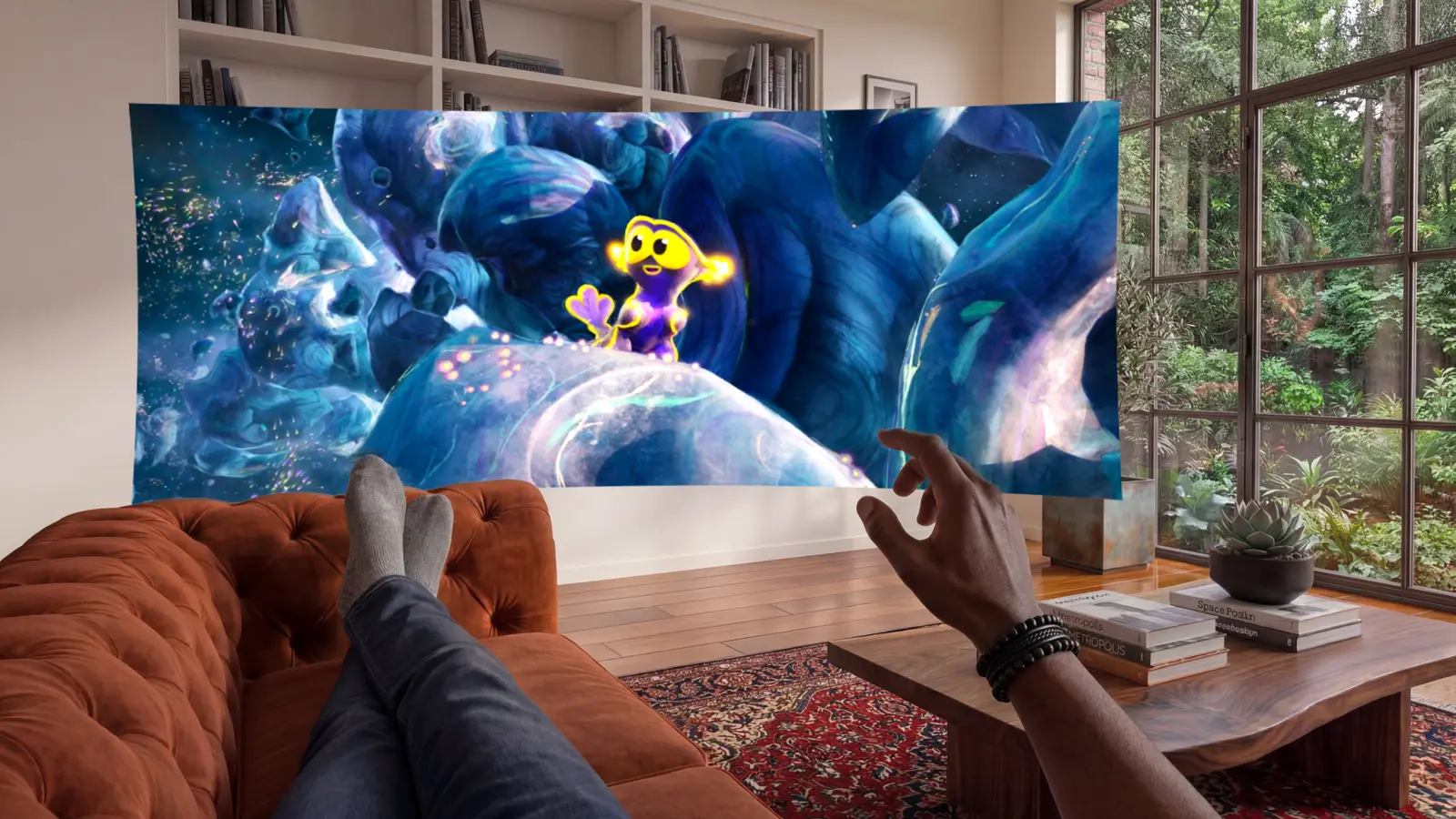
Your room, with a cinema in it.
Turn on passthrough and a curved screen sits in front of you in your actual living room. Size it, curve it, tilt it, calibrate the colour to taste; it comes back the way you left it.
8K VR180 and 360, all around you.
Immersive, 3D and spatial video played at full resolution. VR180, 360, side-by-side, over-under and MV-HEVC, all detected for you.
Your whole library, one home screen.
Plex, Jellyfin and your network shares, with real sign-in. Your posters, your Continue Watching row, all in VR.
A wall of posters, not a list of files.
Artwork for everything you own, wherever it lives. Behind every poster is a strip of thumbnails taken right across the film: run along it to find the moment you want, then click to start there. Tag it, filter it, and put the private shelves behind a PIN.
Posters, cast and metadata, automatic.
Rich detail pages pulled in for everything you own: synopsis, ratings, runtime and the full cast list.
Movie night, in perfect sync.
Sub-second playback sync, encrypted voice chat, floating name plates and emoji reactions, even across two different servers.
Your PC does the heavy lifting.
Drop in a folder, press Start, scan the QR code with your headset. That is the entire setup, and it takes about a minute: no server to configure, no account, no library to scan, and not one file copied anywhere. Your films are simply there, playing off your own disk at full resolution.
Then it keeps going, doing the work a Quest can’t: converting flat films to 3D as you watch them, sharpening lower-resolution video with a neural upscaler, re-encoding anything the headset can’t decode, and building your library previews in minutes instead of hours. Nothing is uploaded. Nothing leaves your network.
Flat films, watched in 3D
Depth is estimated frame by frame on your graphics card, and a second eye built from it while the film plays.
Anything it can’t decode
12K files and exotic codecs are re-encoded live by your GPU, and streamed as they go.
A sharper picture
An optional desktop upscaler lifts lower-resolution video toward the headset’s panels.
Blu-ray images and previews
Discs are opened on the PC, and your library filmstrips are built there too.
Your network shares
Add a NAS on either side and it appears on the other. Passwords stay in your computer’s keychain.
No account, no cloud, no port forwarding. It only answers to headsets you’ve paired, and none of it is required: turn the PC off and the headset carries on alone, in 2D.
Free to try.
One unlock.
Download koko from the Meta Horizon Store and watch 10 minutes of any film, with every feature switched on. One in-app purchase takes the limit off for good.
one-time · no subscription · billed by Meta
- Films play right through, with no 10-minute limit
- Everything else is already unlocked in the free app
- Your PC, Plex, Jellyfin, network drives, USB and downloads
- 8K, HDR, VR180 and 360, 3D and flat films converted to 3D
- Watch Together, the in-VR browser and every update to come
The free app is the whole app: every source, every format, every feature, for as long as you want to test it. The one thing it does is stop each video after 10 minutes, which is long enough to see your own films playing smoothly and too short to watch one. The unlock takes that limit off, once, on everything, for good. There is no second tier to buy later.
Questions
Good to know.
koko VR Theater runs on Meta Quest 2, Quest 3, Quest 3S and Quest Pro. It's a true native Quest app, not a streamed desktop mirror, so it runs entirely on the headset.
No. koko plays straight from local storage, USB drives and any network share (SMB, DLNA, FTP, SFTP, WebDAV). Plex and Jellyfin are first-class if you have them, with native sign-in and your real libraries, but they're optional.
Yes, and it takes about a minute. koko Companion is a free desktop app for Windows, macOS and Linux: drag a folder onto its window, press Start, then scan the QR code from Files → PC Companion in koko. That's it. There's no server to configure, no account, no library scan and nothing is moved or copied, because it serves the folders where they already sit. Nothing is uploaded either: the files stream off your own machine, over your own network, and play at full resolution.
Yes, with the free PC companion running. Your computer estimates depth on every frame and builds a second eye from it while the film plays, so an ordinary 2D film arrives at the headset as a stereo one. It works on anything you own: no special release, no remaster, nothing to prepare beforehand. The converter, its models and the accelerator it needs all ship inside the companion installer, which is why that download is large. It's optional and off until you turn it on, and it asks a lot of the graphics card, so it's the one feature that genuinely wants a desktop GPU rather than any machine with a video encoder.
It takes the jobs a standalone headset is bad at. Flat films are converted to 3D on your graphics card as you watch them. A file past the Quest's decoder, a 12K source or an unusual codec, gets re-encoded live and streamed as it goes. Lower-resolution video can be run through a desktop neural upscaler on the way, which is far beyond what a headset can do in real time. Blu-ray disc images are opened on the PC instead of navigated over the network, your library filmstrips are generated there in minutes rather than hours, and the NAS connections you add on either side sync to the other. All of it is optional and all of it is a fallback: turn the PC off and the headset carries on by itself.
Everything: full library browsing, format detection, 4K, HDR, 180/360. Playback just stops after 10 minutes per video until you buy the one-time unlock. It's there so you can confirm smooth direct-play on your own files before paying.
Yes. One in-app purchase removes the per-video cap forever. No subscription, no tiers, no upsells. Updates are free. The price is shown on the store page and billed through your Meta account.
That's the whole point. Custom frame-pacing keeps 4K and 8K HDR smooth even off a NAS, with the headset's refresh matched to the film's frame rate (24p→72 Hz, 60p→120 Hz) so motion stays judder-free. Local and network files always play direct, and a software decoder picks up whatever the headset's hardware won't take. On Plex and Jellyfin, a file the headset genuinely can't handle falls back to a server-side transcode that keeps HDR intact.
Almost certainly. koko plays HEVC, H.264, AV1 and VP9 directly on the headset's hardware, and quietly falls back to software for the rest: MKV, TS, MP4, MOV, WebM and more, including DTS, TrueHD and E-AC3 audio. If a file would normally be refused, koko just plays it.
Side-by-side, top-bottom and frame-sequential 3D, plus full Blu-ray and Blu-ray 3D playback straight from your ISO files. With the free PC companion running, a disc image is opened on the computer instead, which starts faster and keeps the disc's own soundtracks. VR180, 360 and fisheye are auto-detected per file and correctable in-player.
No. Only playback state (play, pause, seek) is synced. Voice is encrypted end-to-end and goes peer-to-peer wherever your network allows it, falling back to a relay only if a strict NAT or the hide-my-IP option rules out a direct connection. No media ever leaves your device, and your Plex/Jellyfin credentials never leave it either.